Moto Road Rash 3D – High-Speed Motorcycle Racing at Your Fingertips
The roar of an engine. The blur of city lights. The heart-stopping moment when you thread your motorcycle between two speeding cars with inches to spare. For adrenaline junkies and racing fans, few experiences match the thrill of high-speed urban riding. But not everyone can hop on a real bike and weave through downtown traffic. That is where Moto Road Rash 3D 2 comes in.
Developed by Royale Gamers, this browser-based HTML5 game delivers a pulse-pounding motorcycle racing experience directly to your computer screen. With its dynamic cityscape, challenging traffic patterns, and responsive keyboard controls, Moto Road Rash 3D 2 captures the essence of arcade-style racing without requiring any downloads or installations.
In this article, we will explore everything you need to know about this exciting game: how to play, what makes it unique, tips for mastering the streets, and why it has earned a place in the “Hot” and “Best New” collections on GameDistribution.
What Is Moto Road Rash 3D 2? A Thrilling Arcade Racer
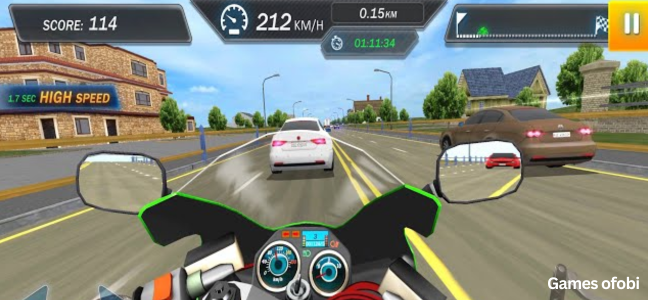
Moto Road Rash 3D 2 is a fast-paced motorcycle racing game set in a vibrant, ever-changing city environment. Unlike traditional racing games that focus on competing against other riders on closed tracks, this game emphasizes agility, precision, and survival. Your primary challenge is not just speed but navigating through dense traffic, avoiding collisions, and performing daring stunts.
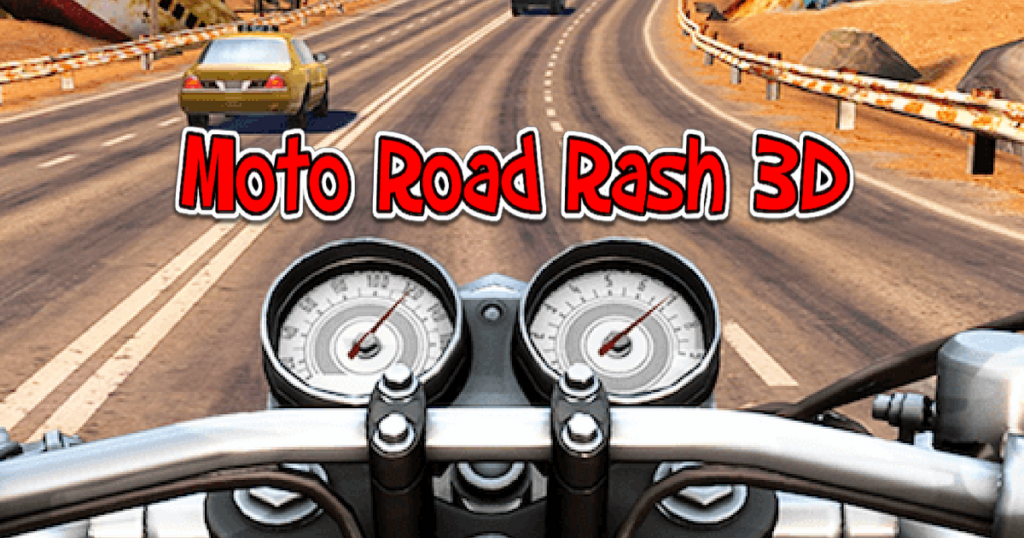
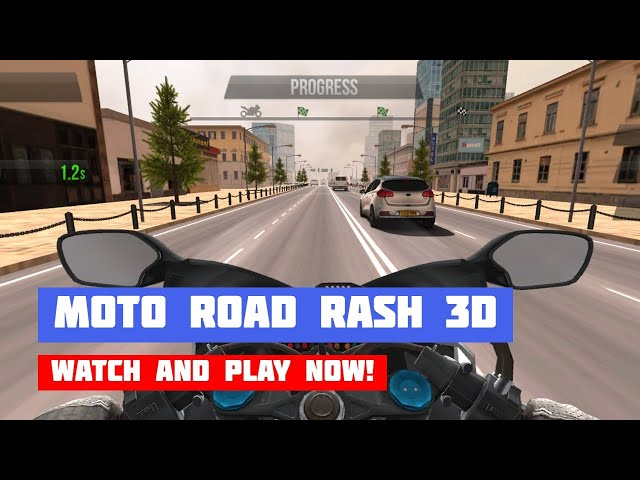
The game is built using WebGL technology, which allows for smooth 3D graphics directly within your web browser. The perspective puts you behind the handlebars, giving you a clear view of the road ahead, the cars you need to dodge, and the city skyline scrolling past in a blur.
Royale Gamers, the publisher behind Moto Road Rash 3D 2, has designed the experience to be accessible to casual players while offering enough difficulty to keep dedicated racers coming back for more. Whether you have five minutes for a quick session or an hour to chase high scores, the game accommodates your schedule.
Key Features at a Glance
- High-Octane Gameplay: Fast-paced racing that demands quick reflexes.
- Dynamic City Environment: An ever-changing urban landscape keeps each session fresh.
- Traffic Dodging Mechanics: Weave between cars, trucks, and other obstacles.
- Stunt System: Perform daring maneuvers to earn bonus points.
- Keyboard Controls: WASD or arrow keys for steering, acceleration, and braking.
- Browser-Based: No downloads or installations required (HTML5/WebGL).
- Desktop Only: Currently not optimized for mobile touchscreen play.
How to Play: Simple Controls, Challenging Action
Moto Road Rash 3D 2 keeps its control scheme simple so you can focus on the action. However, mastering these controls under pressure is where the real challenge lies.
Basic Controls
The game uses standard keyboard inputs that will feel familiar to anyone who has played PC racing games:
| Action | Control Keys |
|---|---|
| Accelerate | Up Arrow or W |
| Brake/Reverse | Down Arrow or S |
| Steer Left | Left Arrow or A |
| Steer Right | Right Arrow or D |
There is no mouse or touchscreen support. This is purely a keyboard-driven experience, which contributes to the precise, responsive feel of the gameplay.
Core Gameplay Loop
Your motorcycle automatically moves forward through the city streets. Your job is to:
- Avoid Collisions: Stay clear of other vehicles. Hitting a car slows you down and may end your run depending on the game mode.
- Maintain Speed: The faster you go, the higher your potential score. Braking too often reduces your momentum.
- Perform Stunts: Certain ramps or opportunities allow you to perform stunts (jumps, wheelies, etc.). Successfully landing stunts awards bonus points.
- Survive as Long as Possible: The game continues until you crash. Your final score is based on distance traveled, speed maintained, and stunts completed.
Game Modes and Objectives
While the source material does not specify multiple game modes, typical arcade racers like Moto Road Rash 3D 2 often include:
- Endless Mode: Race until you crash. How far can you go?
- Time Trial: Reach a certain distance before the timer runs out.
- Stunt Challenge: Earn a target number of stunt points within a limited time.
Regardless of the specific mode, the core objective remains the same: go fast, avoid traffic, and look cool doing it.
Why Moto Road Rash 3D 2 Stands Out
The racing genre is crowded, especially in the browser-based gaming space. What makes this particular title worth your attention?
1. Pure Arcade Accessibility
Moto Road Rash 3D 2 does not bog you down with realistic physics, complex tuning options, or lengthy tutorials. You start the game, and within seconds, you are weaving through traffic at high speed. This pick-up-and-play quality is perfect for short gaming sessions.
2. Visually Engaging Environment
The “dynamic, ever-changing cityscape” mentioned in the game’s description is a key feature. Unlike static backgrounds, the city feels alive. Buildings, road layouts, and traffic patterns shift as you progress, preventing the game from becoming monotonous. The 3D WebGL graphics, while not photorealistic, are colorful and effective at conveying speed.
3. Skill-Based Challenge
Moto Road Rash 3D 2 is easy to learn but difficult to master. Beginners can enjoy simply staying on the road. Experienced players will chase the perfect line: threading between cars, hugging the edge of the pavement, and chaining stunts for maximum score. This skill ceiling ensures long-term engagement.
4. No Hardware Barriers
Because the game runs in a browser using WebGL, it works on a wide range of Windows PCs and Macs (via compatible browsers). You do not need a gaming rig with a dedicated graphics card. As long as you have a keyboard and a modern browser, you can play.
5. Free and No Registration
Moto Road Rash 3D 2 is completely free to play. You do not need to create an account, provide an email address, or sign up for a subscription. Simply navigate to a hosting site, and the game loads instantly.
Tips and Strategies for Mastering the Streets
Ready to improve your high scores? Here are advanced strategies to help you dominate Moto Road Rash 3D 2.
Look Ahead, Not Down
New players tend to stare at the space immediately in front of their motorcycle. This is a mistake. Train yourself to look several seconds ahead on the road. This gives you more time to spot upcoming traffic patterns, anticipate gaps, and plan your lane changes.
Use the Whole Road
Do not stay glued to one lane. The safest path is often an active weave: move to the left lane to pass a slow car, then back to the center, then to the right to avoid an oncoming truck. Constant, smooth lateral movement keeps you flexible.
Brake Before You Turn
In high-speed arcade racers, it is tempting to steer sharply without braking. This often leads to skids or loss of control. Tap the brake (Down Arrow or S) just before entering a tight weave between vehicles. Then accelerate through the gap. This “brake-turn-accelerate” sequence is the foundation of advanced racing.
Chain Stunts for Multipliers
If the game includes a stunt system, look for opportunities to chain stunts together. Landing a jump and immediately pulling a wheelie might trigger a combo multiplier, significantly boosting your score. Practice stunt timing in safe sections of the track before attempting them in heavy traffic.
Learn Vehicle Patterns
The traffic in Moto Road Rash 3D 2 is not completely random. Over time, you will notice patterns: certain vehicle types (slow trucks, fast sports cars) appear in specific sequences. Learning these patterns allows you to predict traffic moves rather than simply reacting to them.
Stay Calm Under Pressure
When the screen fills with cars and your heart rate spikes, your instinct will be to jerk the controls. Resist this urge. Panicked steering usually results in a crash. Take a breath, focus on the gaps, and make deliberate, smooth inputs. Calm players survive longer.
Technical Requirements and Compatibility
Before you start racing, ensure your setup meets the basic requirements.
| Requirement | Details |
|---|---|
| Platform | Desktop or laptop computer |
| Operating System | Windows, macOS, Linux (with compatible browser) |
| Browser | Chrome, Firefox, Edge, Safari (latest versions) |
| Technology | WebGL (HTML5) |
| Controls | Keyboard only (WASD or Arrow Keys) |
| Mobile Support | Not compatible (no touch controls) |
| Screen Resolution | 960×600 (landscape orientation) |
| Internet | Required for initial load; offline play possible after loading |
Important Note: The source explicitly states “Mobile Web Compatible: No.” This game is designed for desktop play with a physical keyboard. Do not attempt to play on a smartphone or tablet, as you will have no way to control your motorcycle.
Privacy and Cookie Notice
Like most free online games, Moto Road Rash 3D 2 is hosted on websites that may use cookies for advertising, analytics, and functionality. These include:
- Strictly Necessary Cookies: Required for the game to load and run properly.
- Performance Cookies: Help the website understand how players interact with the game.
- Targeting Cookies: Used to show relevant advertisements based on your interests.
You can typically manage these preferences through the website’s cookie consent tool. Playing in a private browsing window or using a browser with built-in tracker blocking can limit data collection.
Frequently Asked Questions (FAQs)
1. Can I play Moto Road Rash 3D 2 on my phone or tablet?
No. The game is explicitly marked as not mobile-compatible. It requires a physical keyboard for controls and is designed for desktop play on a computer.
2. Is Moto Road Rash 3D 2 free to play?
Yes. The game is completely free. You do not need to pay anything to access the core gameplay. Some hosting sites may include optional advertisements, but these do not block core functionality.
3. What are the controls for Moto Road Rash 3D 2?
You can use either the WASD keys or the Arrow Keys. W/Up Arrow accelerates, S/Down Arrow brakes, and A/Left Arrow and D/Right Arrow steer left and right respectively.
4. Does Moto Road Rash 3D 2 have different game modes?
The base game focuses on high-speed survival racing through traffic. Some versions may include time trials or stunt challenges. Check the specific hosting site for available modes.
5. Is there a way to save my high score?
High scores are typically stored in your browser’s local storage or session storage. If you clear your browser cache or cookies, you may lose your saved scores. Some hosting sites offer online leaderboards for registered users.
Conclusion: Pure Arcade Thrills for Keyboard Racers
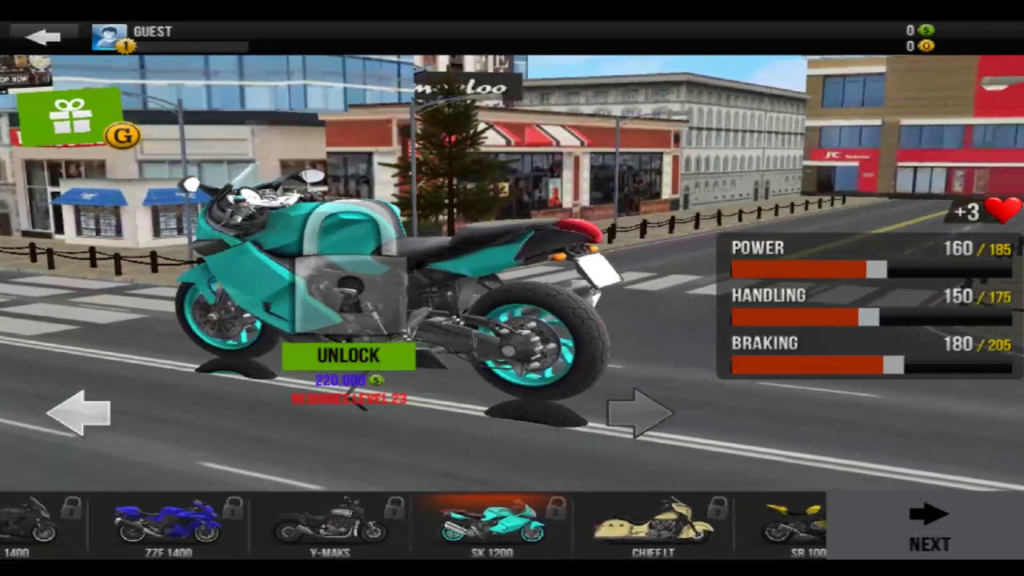
Moto Road Rash 3D 2 does not try to be a realistic motorcycle simulator. It does not offer deep customization, licensed bikes, or real-world tracks. What it does offer is something arguably more valuable in the browser gaming space: pure, unfiltered arcade fun.
The combination of responsive keyboard controls, a dynamic city environment, and the constant tension of dodging traffic creates a loop that is easy to start and hard to stop. Each run lasts only a few minutes, but the “one more try” urge is powerful. You will crash, feel frustrated, and immediately hit restart, convinced that you can go just a little farther next time.