Tap 3D Blocks – The Ultimate Spatial Puzzle Challenge
Layers upon layers of dice await your skillful touch. Some puzzles ask you to think. This one dares you to see the whole picture. Flip, rotate, and reveal new tiles as you uncover unexpected paths. Boosters lend a hand, but the strategy is all yours.
Welcome to Tap 3D Blocks, a mesmerizing puzzle game developed by Inlogic Software that transforms simple dice-clearing mechanics into a genuine test of spatial awareness and strategic planning. Unlike traditional flat puzzles that show you everything at once, Tap 3D Blocks hides its secrets beneath layers, requiring you to explore every angle, think three-dimensionally, and plan multiple moves ahead.
This comprehensive guide covers everything you need to know about Tap 3D Blocks—its unique mechanics, booster system, strategies for success, and why this game has become a favorite among puzzle enthusiasts worldwide.
What Is Tap 3D Blocks? An Overview
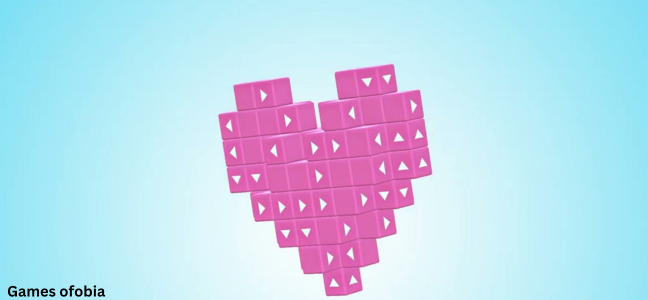
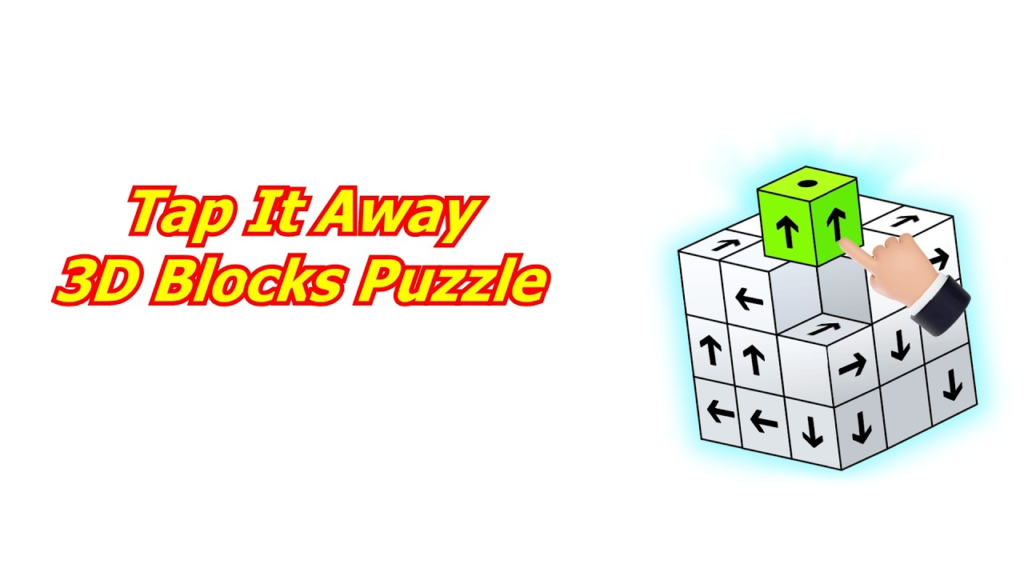
Tap 3D Blocks is a three-dimensional puzzle game where you clear dice by tapping those whose arrows point outward from the center. But do not let that simple description fool you. The game presents a rotating, multi-layered 3D structure that challenges your perception, memory, and strategic thinking.
Unlike match-three games where tiles are static and fully visible, Tap 3D Blocks hides its complexity. Dice are arranged in concentric layers. You can only see the outer layer initially. As you clear dice, new dice behind them become accessible. Some dice have arrows pointing inward, outward, or sideways—and only outward-pointing dice from the center can be removed.
The game demands that you:
- Rotate the puzzle to see all angles
- Identify removable dice (those whose arrows point outward from the center)
- Plan clearing sequences to avoid getting stuck
- Use boosters strategically when the puzzle becomes unsolvable
With its unique 3D mechanics and challenging yet fair difficulty curve, Tap 3D Blocks offers a refreshing alternative to flat, repetitive puzzle games.
Why Tap 3D Blocks stands out:
- True 3D gameplay – Rotate, flip, and explore every angle
- Layered puzzle design – New dice appear as you clear old ones
- Unique clearing mechanic – Arrow direction determines removability
- Strategic booster system – Undo, shuffle, hint, and hammer tools
- No time pressure – Play at your own pace
- Play anywhere – Browser-based with no download required
Core Gameplay Mechanics
The 3D Puzzle Structure
The game presents a 3D object composed of cubes (dice) arranged in a spherical or layered formation. The exact shape varies by level, but the core principle remains: dice are stacked in depth. You see only the outer layer. Behind each outer die, there may be another die, and another behind that.
To progress, you must remove dice layer by layer from the outside inward.
The Arrow System – The Heart of the Game
Every die in Tap 3D Blocks has arrows painted on its faces. These arrows indicate direction. The rule is simple but critical: Only dice whose arrows point outward from the center of the puzzle can be tapped and removed.
This means:
- A die with arrows pointing toward the center cannot be removed yet
- A die with arrows pointing sideways may become removable after adjacent dice are cleared
- A die on the outermost layer with outward-facing arrows is your primary target
Understanding arrow orientation in 3D space is the game’s central challenge.
Rotation and Exploration
You can rotate the entire puzzle in any direction. This is not just a viewing convenience—it is essential gameplay. A die that appears to have inward-facing arrows from one angle might have outward-facing arrows from another angle.
Rotation controls: (varies by device)
- Mouse/Touch: Click and drag to rotate
- Desktop: Some versions support arrow keys
- Touchscreen: Swipe to spin the puzzle
Make rotating a habit. Do not settle for looking at the puzzle from a single angle.
Clearing Dice and Revealing Layers
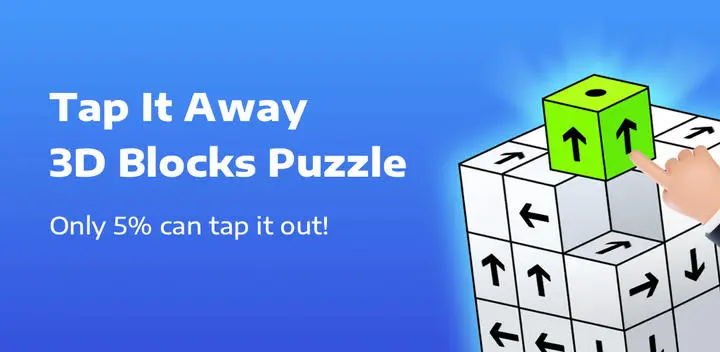
When you tap a removable die (arrows pointing outward from center), it disappears. This does two things:
- It scores points and brings you closer to level completion
- It reveals dice behind it that were previously hidden
Sometimes clearing one die reveals multiple new dice. Other times, it reveals nothing—the space was empty. The unpredictability keeps you engaged.
Level Completion
Levels are completed when you have removed all required dice. The level ends, and you progress to the next, more complex puzzle.
There is no time limit. You can stare at the puzzle for as long as you like, rotating, planning, and thinking.
The “Getting Stuck” Problem
Because of the arrow mechanic, it is possible to reach a state where no dice have outward-facing arrows. When this happens, you cannot make any moves. The puzzle is “stuck.” This is where boosters become essential.
Boosters: Your Strategic Toolkit
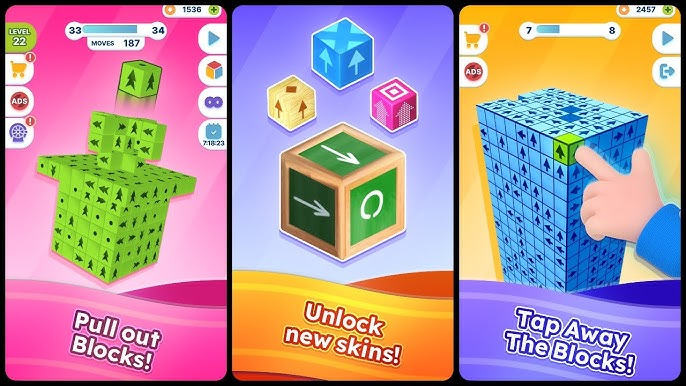
Tap 3D Blocks includes four powerful boosters to help you when the puzzle becomes unsolvable or when you want to optimize your score.
Turn Back (Undo)
Function: Reverses your last move, returning removed dice to the puzzle.
When to use:
- You removed a die and immediately realized it was a mistake
- You want to try a different clearing sequence without restarting the level
- You are experimenting with strategies
Strategy tip: Use Turn Back liberally while learning. There is no penalty for undoing moves, and experimentation is how you learn the game’s logic
.
Shuffle
Function: Randomly rearranges the dice on the puzzle. Arrow orientations may change.
When to use:
- You are stuck with no removable dice
- The puzzle seems impossible to solve with current dice positions
Strategy tip: Shuffle is a last resort because it randomizes the puzzle rather than solving it strategically. Use Turn Back first to see if a different sequence works. Only Shuffle when truly stuck.
Hint
Function: Highlights a die that is currently removable.
When to use:
- You have been rotating the puzzle for several minutes and cannot find a removable die
- You want to confirm your planned move is valid
Strategy tip: Hints do not penalize you. Do not feel ashamed to use them. The goal is to enjoy the puzzle, not to prove you never need help.
Hammer
Function: Destroys any die you choose, regardless of arrow direction.
When to use:
- You are completely stuck and Shuffle has not helped
- A specific die is blocking access to many others
- You want to create a new removable pattern
Strategy tip: Hammer is your most powerful booster but should be used sparingly. It destroys a die permanently (for that level). Use it to remove a die with inward arrows that is blocking the entire puzzle.
Booster Availability
Boosters are typically limited per level or regenerate over time (depending on version). Some versions allow you to earn additional boosters by watching optional video ads. Use them strategically—do not waste them on easy levels where careful planning would work.
Strategies for Success
Beginner Strategies
1. Rotate constantly. Do not assume you have seen everything from one angle. Rotate the puzzle after every few moves. New removable dice may have appeared.
2. Look for dice with arrows pointing directly away from the center. These are your primary targets. If you see a die with arrows pointing straight outward, remove it.
3. Clear from the outermost layer inward. Do not try to “save” outer dice for later. The puzzle is designed to be solved from outside to inside.
4. Use Turn Back to experiment. If you are unsure whether removing a die is a good idea, try it. If it leads to a dead end, undo it. No harm done.
5. Do not ignore rotation. This cannot be overstated. Many players get stuck because they forget to rotate. The solution is often visible from the opposite side.
6. Count arrows. A die may have arrows on multiple faces. It is removable if any arrow points outward from the center, not necessarily all arrows.
Advanced Strategies
1. Plan sequences, not individual moves. Look 3-4 moves ahead. “If I remove die A, it will reveal die B, which will allow me to remove die C, which will create space for die D.”
2. Identify “keystone” dice. Some dice, when removed, reveal multiple new dice or unlock large sections of the puzzle. Prioritize these over dice that only reveal one or two new dice.
3. Use the Hammer on blockers. A single die with inward arrows can block an entire section. If Shuffle does not reposition it, use Hammer to destroy it and free the puzzle.
4. Learn common arrow patterns. With experience, you will recognize which arrow configurations are removable from which angles. This pattern recognition speeds up play dramatically.
5. Save boosters for difficult levels. Easy levels can be solved with careful rotation and planning. Do not waste Hints or Hammers on them. Save those resources for levels where you are truly stuck.
6. Take breaks. If you have been staring at the same puzzle for 10 minutes without progress, walk away. Return with fresh eyes. The solution is often obvious after a break.
Expert Strategies
1. Solve in reverse mentally. Imagine the puzzle completely cleared. Work backward: what was the last die removed? What die must have been removed before that? This backward planning is powerful.
2. Memorize puzzle layouts. Some levels repeat shapes. By remembering which dice were “blockers” the first time, you can solve faster on subsequent attempts.
3. Minimize booster use. The highest scores (in score-attack versions) come from solving puzzles without boosters. Challenge yourself to complete levels using only rotation and planning.
4. Speed solving (for timed versions). If playing a timed version, memorize common patterns and remove dice in rapid succession without pausing to think. This requires extensive practice.
Common Mistakes and How to Avoid Them
Mistake 1: Not rotating enough
The most common mistake. Players look at the puzzle from one angle, see no removable dice, and assume they are stuck. Rotate! The solution is almost always visible from another angle.
Mistake 2: Removing dice without thinking ahead
Just because a die is removable does not mean you should remove it immediately. Consider: What will this reveal? Will removing this die make other dice inaccessible?
Mistake 3: Ignoring arrow direction on hidden dice
You cannot see the arrows on dice behind the outer layer. However, you can deduce them based on the pattern. If a die appears to be symmetrical, its hidden arrows are likely symmetrical too.
Mistake 4: Using Hammer too early
Hammer is powerful but limited. Do not use it on the first stuck moment. Try Turn Back and Shuffle first. Use Hammer only when other boosters have failed.
Mistake 5: Forgetting that boosters exist
Some players stubbornly refuse to use boosters, spending 20 minutes stuck on a puzzle. Boosters are part of the game. Use them.
Mistake 6: Restarting instead of undoing
If you make a mistake, use Turn Back. Restarting the entire level should be a last resort. Turn Back is there for exactly this purpose.
Tap 3D Blocks vs. Other Puzzle Games
| Feature | Tap 3D Blocks | Traditional Match-3 | Rubik’s Cube | Hidden Object |
|---|---|---|---|---|
| Dimensions | 3D (rotatable) | 2D (flat) | 3D (rotatable) | 2D |
| Core mechanic | Arrow direction clearance | Color matching | Color alignment | Find items |
| Hidden elements | Yes (layers) | No | No | Yes (but not depth) |
| Spatial reasoning | High | Low | High | Low |
| Time pressure | None | Often | None | Often |
| Booster system | Yes (4 types) | Sometimes | No | Rarely |
Tap 3D Blocks occupies a unique niche: it is more spatially demanding than match-3 games but less abstract than a Rubik’s Cube. The learning curve is gentle enough for casual players but deep enough for puzzle enthusiasts.
Who Is Tap 3D Blocks For? Audience and Suitability
| Player Type | Why They Will Enjoy It |
|---|---|
| Puzzle enthusiasts | Unique 3D mechanics, strategic depth |
| Casual gamers | No time pressure, play in short sessions |
| Spatial reasoning fans | Rotating 3D puzzles exercise the mind |
| Kids (ages 10+) | Develops spatial thinking, no violence |
| Adults | Stress-relieving yet mentally engaging |
| Mobile players | Touch rotation works perfectly |
Is It Suitable for Children?
Yes, for children aged 10 and up. The game requires abstract thinking about 3D space and arrow directionality. Younger children may struggle with the concept of “outward from the center” in a 3D rotating object. However, there is no inappropriate content, no violence, and no reading requirements beyond basic numbers.
The game can help develop:
- Spatial intelligence – Understanding how objects relate in 3D space
- Planning skills – Thinking multiple moves ahead
- Patience – Accepting that some puzzles take time
Is It for Hardcore Gamers?
Yes, particularly those who enjoy puzzle games like The Witness, Monument Valley, or Fez. The game has genuine depth and can be quite challenging at higher levels. Score-attack versions (if available) add replayability for competitive players.
Accessibility Features
- No time pressure (primary version)
- Simple controls (click/tap and drag to rotate)
- Visual indicators (arrows clearly shown)
- Multiple booster options for players who struggle
- Colorblind-friendly (relies on arrows, not colors)
Why Play Tap 3D Blocks in Your Browser?
Instant Access
No download, no installation, no account creation. Click the link and start solving within seconds.
Cross-Platform
Works on Windows, Mac, Chromebook, iOS, Android, and Linux. The same link works everywhere.
No Storage Space
The game runs entirely in your browser. It does not take up space on your hard drive or mobile device.
Completely Free
The full game is free to play. No in-app purchases are required to access any levels or features.
Ad-Supported but Fair
The embedded version may show short ads, but these appear between levels, not during active puzzling.
Progress Saves Automatically
Your level progress is saved in your browser. Close the game, return a week later, and you will be exactly where you left off.
The Cognitive Benefits of Playing Tap 3D Blocks
Tap 3D Blocks is not just entertainment—it offers genuine mental exercise.
Spatial Intelligence
Rotating a 3D object mentally and understanding how hidden elements are arranged is a form of spatial reasoning. This skill is used in navigation, architecture, engineering, and even everyday tasks like packing a suitcase.
Working Memory
You must remember which dice you have removed, which dice were revealed, and which directions their arrows faced. This exercises your short-term memory.
Problem-Solving Under Constraints
The arrow mechanic imposes strict rules on what moves are allowed. Working within constraints to achieve a goal is a fundamental problem-solving skill.
Strategic Planning
Looking multiple moves ahead, identifying keystone dice, and sequencing removals—these are strategic thinking skills applicable to business, chess, and life.
Patience and Persistence
Some levels are genuinely difficult. Learning to persist through frustration, to take breaks, and to return with fresh eyes is a life skill.
Frequently Asked Questions (FAQs)
1. Is Tap 3D Blocks really free to play?
Yes, Tap 3D Blocks is completely free. You can play the full game without spending any money. The embedded version may include occasional ads between levels, but these are brief and do not block gameplay.
2. Do I need to download anything to play?
No download or installation is required. Tap 3D Blocks is an HTML5 browser game that runs directly in your web browser. Just click and play.
3. Can I play on my phone or tablet?
Yes. The game is fully compatible with iOS and Android mobile devices. It uses touch controls (tap to remove dice, drag to rotate). The default orientation is landscape (800×600 resolution).
4. What does “outward from the center” mean?
Imagine the puzzle has a center point (like the core of an apple). Dice on the outer layer have arrows pointing away from that center. Dice deeper inside may have arrows pointing toward the center. Only dice with arrows pointing away from the center (outward) can be removed.
5. How do I know which dice are removable?
Look for dice with arrows pointing outward. Rotate the puzzle to see all sides. If you are unsure, use the Hint booster—it will highlight a removable die.
6. What happens if I get stuck with no removable dice?
This is a common situation. Your options:
- Use Shuffle to randomly rearrange the dice
- Use Hammer to destroy a blocking die
- Use Turn Back to undo moves and try a different sequence
- Restart the level (as a last resort)
7. How many levels does Tap 3D Blocks have?
The exact number varies by version, but Tap 3D Blocks typically offers dozens of levels with increasing difficulty. The puzzle shapes become more complex, and the arrow patterns more challenging to decipher.
8. Is there a time limit?
No. The standard version has no time limit. You can take as long as you want on each level. Some score-attack versions may include timers, but the core experience is untimed.
9. Can I replay levels?
Yes. Most versions allow you to replay completed levels. This is useful for improving your time (if timed) or simply enjoying a favorite puzzle again.
10. What is the best booster to use when stuck?
It depends:
- Turn Back is best if you made a few questionable moves
- Shuffle is best if the puzzle seems genuinely unsolvable
- Hint is best if you simply cannot find any removable die
- Hammer is best as a last resort when other boosters have failed
11. Does the game have sound?
Some versions include gentle background music and sound effects for removing dice. The audio is optional and can be muted using your device’s volume controls or the browser’s tab mute feature.
12. Can I play offline?
No. Tap 3D Blocks requires an internet connection to load the game initially. Once loaded, a stable connection is needed for ad serving (in the ad-supported version). If you lose connection during play, the game may freeze.
13. How do I rotate the puzzle on a desktop?
Click and drag with your mouse. Drag left/right to rotate horizontally, up/down to rotate vertically. Some versions also support arrow keys. On touchscreens, swipe to rotate.
14. Is Tap 3D Blocks suitable for children under 10?
Children aged 8-9 may understand the mechanics with adult help, but the spatial reasoning required is challenging. The game has no inappropriate content, so there is no harm in trying. Younger children may enjoy rotating the puzzle even if they cannot solve it strategically.
15. Why do some dice have arrows in multiple directions?
A die can have arrows on multiple faces. The die is removable if any of its arrows point outward from the center. It does not need all arrows to point outward.
16. Are there in-app purchases?
The browser version embedded on GameDistribution is completely free with no in-app purchases. Mobile app versions (if they exist) may have optional purchases, but the browser version is fully free.
17. How do I reset a level if I am completely stuck?
Most versions have a “Restart Level” button in the menu. This resets the puzzle to its original state. Use this as a last resort after boosters have been exhausted.
18. Does the game save my progress?
Yes. Your level progress is saved automatically in your browser’s local storage. If you close the game and return later, you will resume at the same level.
19. Can I see how many boosters I have left?
Yes. The booster icons typically show a number indicating how many uses remain. Some versions regenerate boosters over time or allow you to earn more by watching ads.
20. What is the hardest level in Tap 3D Blocks?
Difficulty is subjective, but late levels feature complex, multi-layered spherical puzzles with dozens of dice. Solving them requires extensive rotation, careful planning, and strategic booster use.
Conclusion: See the Whole Picture
Tap 3D Blocks challenges you to do what few puzzle games demand: see the whole picture. Not just the surface, but what lies beneath. Not just one angle, but every angle.
The game respects your intelligence. It does not hold your hand. It gives you boosters to help, but ultimately, the strategy is yours. When you finally solve that difficult level—after rotating, planning, undoing, and maybe using a Hammer—the satisfaction is real.
Whether you are a puzzle veteran seeking a new challenge or a casual player looking for something more engaging than match-three games, Tap 3D Blocks offers a unique, rewarding experience.
No download required. No time pressure. Just dice, arrows, and a 3D puzzle waiting to be solved.
So rotate. Explore. Tap. And see the whole picture.